A website can look polished on your laptop and still feel slow to someone trying to request a quote on a mobile phone. A large image appears late. A menu pauses after a tap. A button moves just before it is pressed. These are different problems, and treating them as one “speed score” makes it harder to choose the right fix.
For a business owner, the useful question is not “How do we get 100?” It is “Which delay or disruption prevents people from doing what they came here to do?” Core Web Vitals provide a shared vocabulary for investigating that question. They do not replace business judgement or prove that a redesign will increase revenue.
Three signals, three different experiences
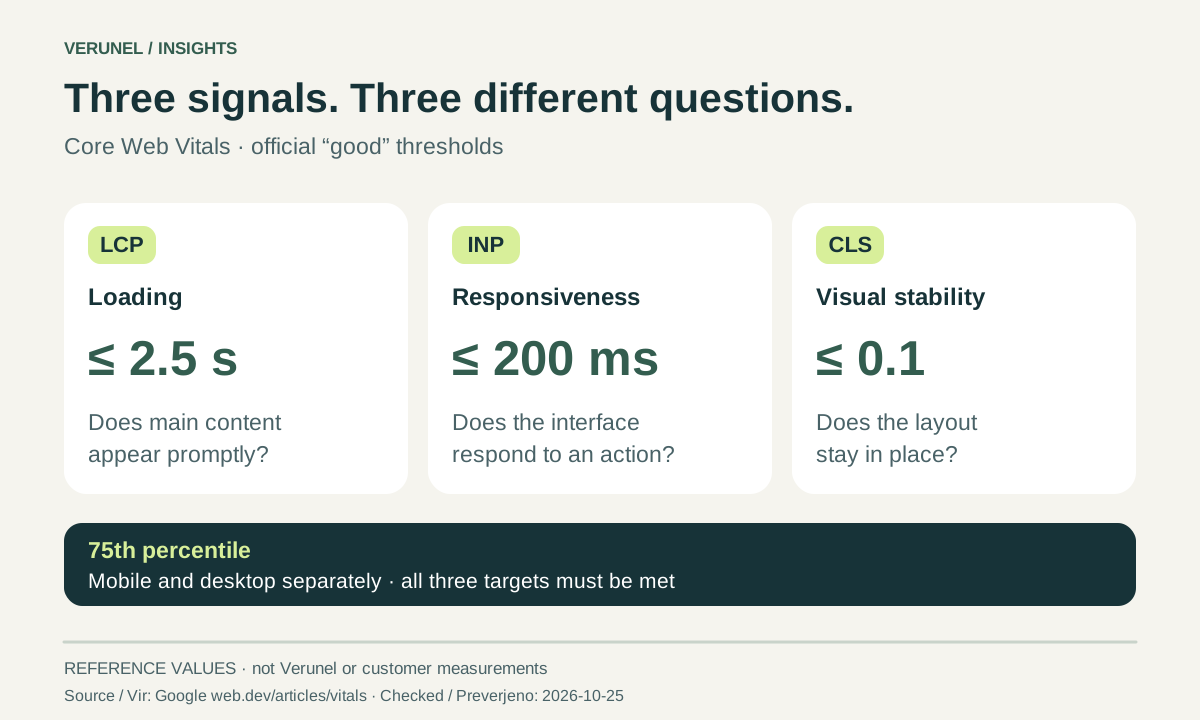
Google’s recommended good thresholds are LCP at or below 2.5 seconds, INP at or below 200 milliseconds, and CLS at or below 0.1. LCP concerns loading, INP responsiveness, and CLS visual stability. The assessment uses the 75th percentile, with mobile and desktop considered separately; all three must meet their targets. Google: Web Vitals
Translate the metrics into questions your team can discuss: Can visitors see the main content promptly? Does the interface respond when they use it? Does the layout stay put? This framing connects technical work to the experience rather than turning a dashboard into the objective.
Understand which evidence you are looking at
A laboratory test runs under controlled conditions. Field data describes actual visits, including different devices and connections. A mismatch is therefore a reason to investigate, not proof that one tool is broken. Chrome User Experience Report data commonly covers a 28-day period, so a production change will not instantly replace the whole measurement window. Google: lab and field data
In your report, label the device profile, tested URL, test date, and data type. If real-user data is unavailable, say so. Do not relabel a simulated run as evidence of what every customer experiences. Repeat comparable lab tests when diagnosing a change, and use available field evidence to assess the experience over time.
Choose the journey before choosing the fix
Start with a small map of important tasks: discovering a service, comparing options, submitting an enquiry, or completing a purchase. Identify the page templates involved and review mobile behaviour. A fast homepage does not settle the question if the enquiry form becomes frustrating after someone starts typing.
Use three practical questions to order the work:
- Reach: Does the issue appear across a shared template or on one rarely used page?
- Consequence: Is it a minor distraction, or does it interrupt an important action?
- Confidence: Have you reproduced the problem and identified a plausible cause?
Add estimated effort and an owner. These are planning judgements, not a scientific formula. Their purpose is to make the decision explainable.
Match each symptom to its cause
For a late-loading main image, inspect the whole loading path rather than only compressing the file. Resource discovery, server response, download time, and rendering can each matter. Google: optimise LCP
For sluggish interaction, examine what occupies the browser’s main thread around the action. Long-running work can delay the response; reducing or breaking up that work may be more relevant than changing image quality. Google: optimise INP
For moving content, check whether images, embedded content, or advertisements have reserved space. Preventing an unexpected insertion is a different task from making the page download faster. Google: optimise CLS
These are investigation paths, not diagnoses of your website. Ask the developer to attach evidence to the selected fix and define how the result will be checked.
Measure improvement without promising revenue
Record a baseline, implement a focused change, and compare equivalent conditions. Alongside technical metrics, review the business action that matters, such as successfully submitted enquiries. Keep campaign changes, seasonal demand, and changes in traffic mix in mind before attributing an outcome to performance alone.
Good Core Web Vitals are used by Google’s ranking systems, but good scores do not guarantee top rankings. Google explicitly cautions that pursuing a perfect score solely for SEO may not be the best use of time. Google Search Central: page experience
The useful endpoint is an evidence-backed decision: what improved, what remains uncertain, and which change deserves attention next.
Start with a scoped audit
Get the Verunel full website audit for €39 excluding VAT, paid once: one domain, up to 10 URLs, an AI summary, a PDF and share link, plus executive and developer reports. Use it to organise findings and discuss the next steps with your team—not as a promise of rankings, revenue, or a perfect score.
Audit coverage: deeper browser checks apply to the entry page; additional URLs receive technical HTTP and content review.
Sources and review date
Official sources checked on 25 October 2026: